iPhone · Built for Ireland

Know what you
actually have.

Mango is a private iPhone app for tracking balances, spending and regular costs from the statements your bank already lets you export.

Start with the last figure your bank confirmed. Mango works backward through the history you review, so importing three years of transactions extends how far back you can see without quietly changing what you hold today.

No account · No advertising · No analytics · Nothing leaves your iPhone unless you ask

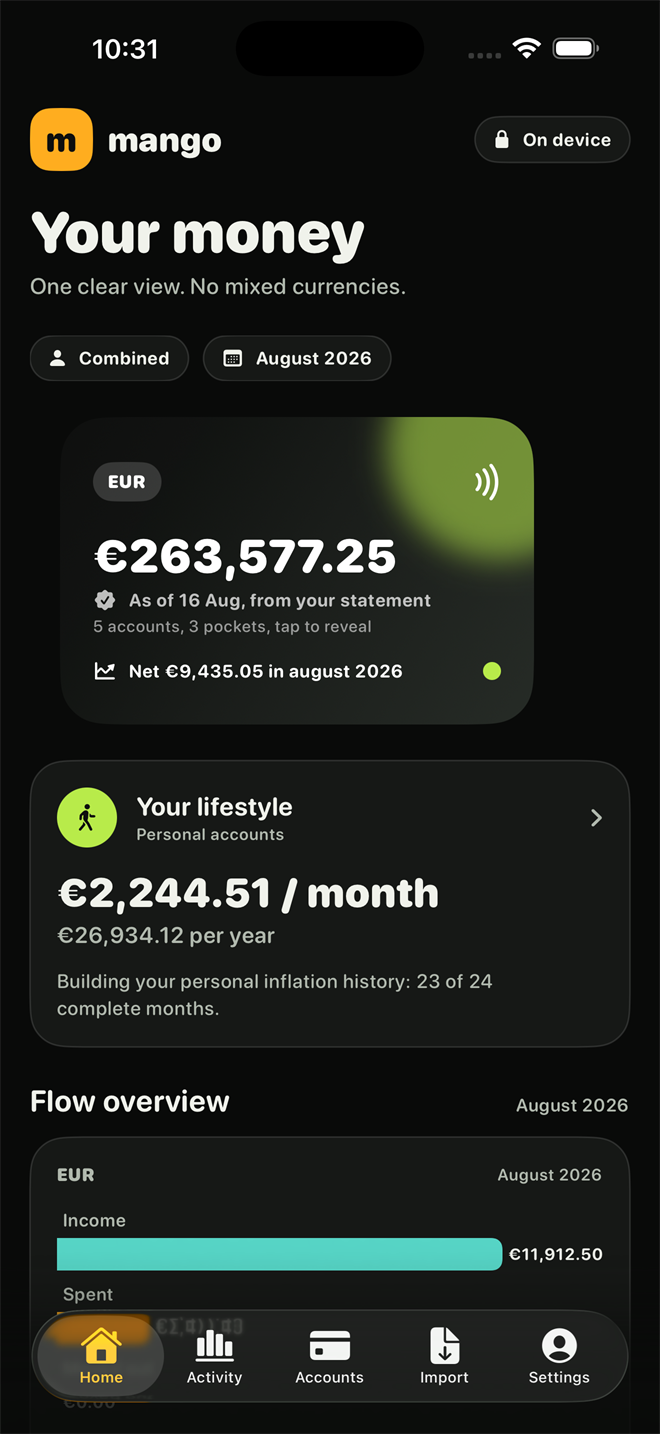
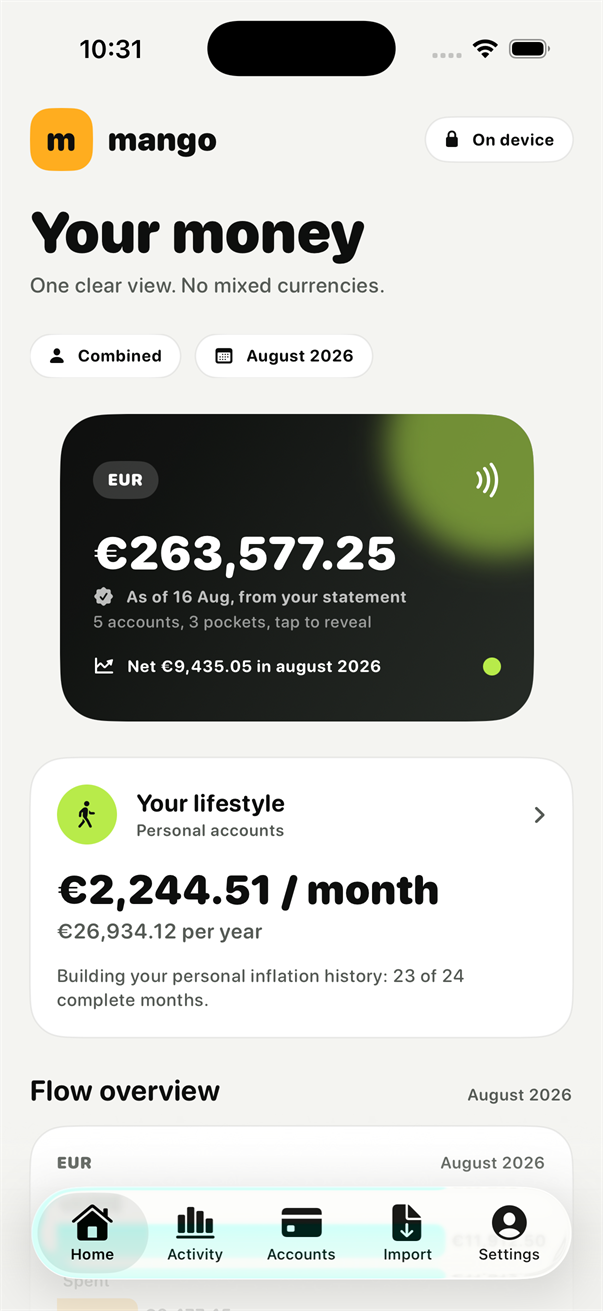
Mango Money home screen showing a confirmed euro balance and monthly lifestyle cost.

Demo data shown. A clear view of what is confirmed, what moved and what still needs your review.

What it looks like

See Mango before you decide whether to keep reading.

Real screens from the development build, using demo data. Swipe through the app first; the reasoning behind it is below.

Swipe to see more

The Mango home screen showing a combined euro balance confirmed by a statement, and a monthly lifestyle cost.
Every balance says when a statement last confirmed it, and how many accounts and pockets sit behind the figure.
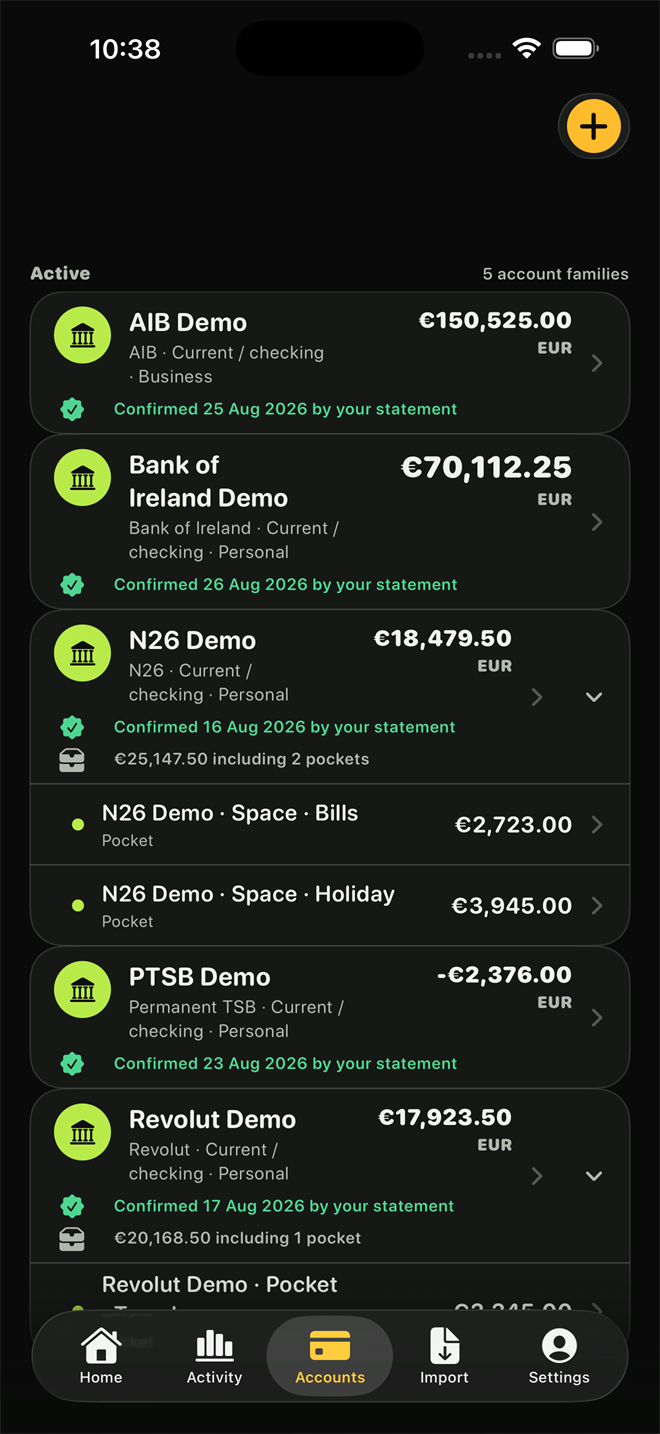
The accounts list showing AIB, Bank of Ireland, N26, Permanent TSB and Revolut, each with a confirmation date, and N26 Spaces shown as pockets.
Irish banks side by side. Each balance carries the date your own statement confirmed it, and pockets sit inside the account that holds them.
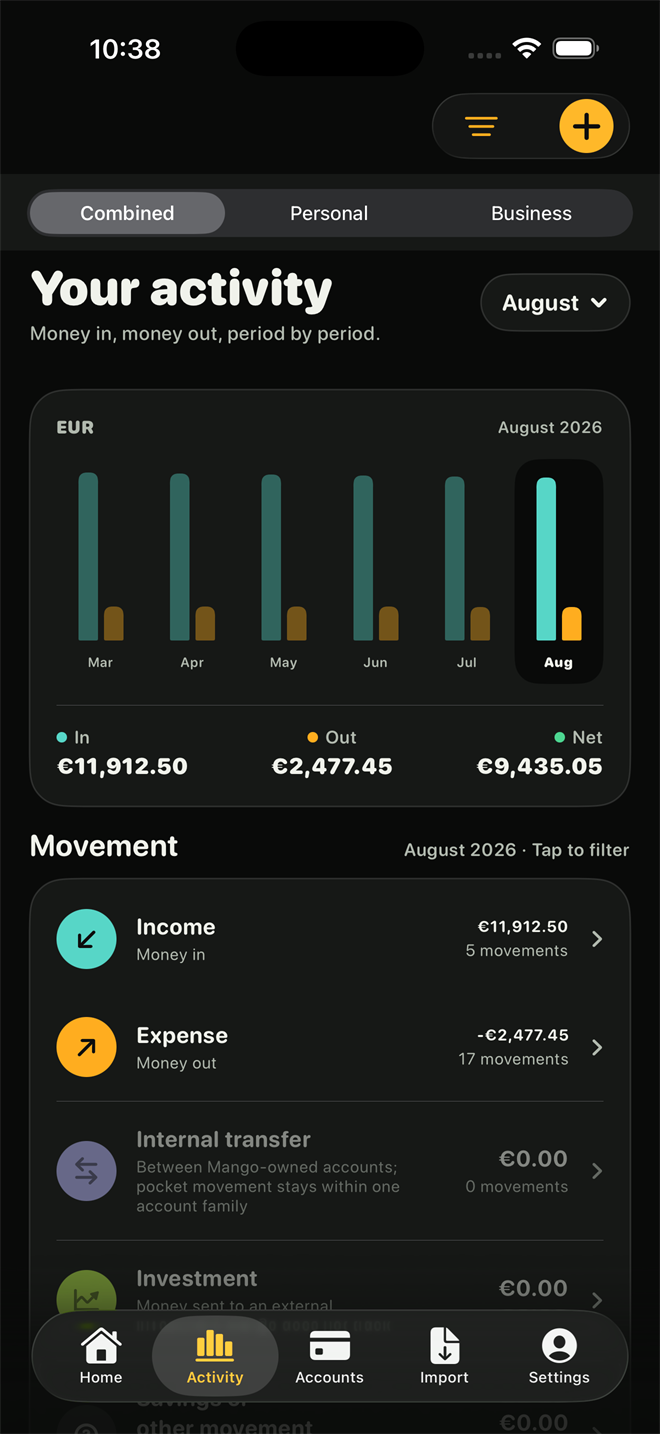
The activity screen showing money in, money out and net for each month, with a breakdown by movement type.
Money in, money out and the net, month by month, one currency at a time and never mixed together.
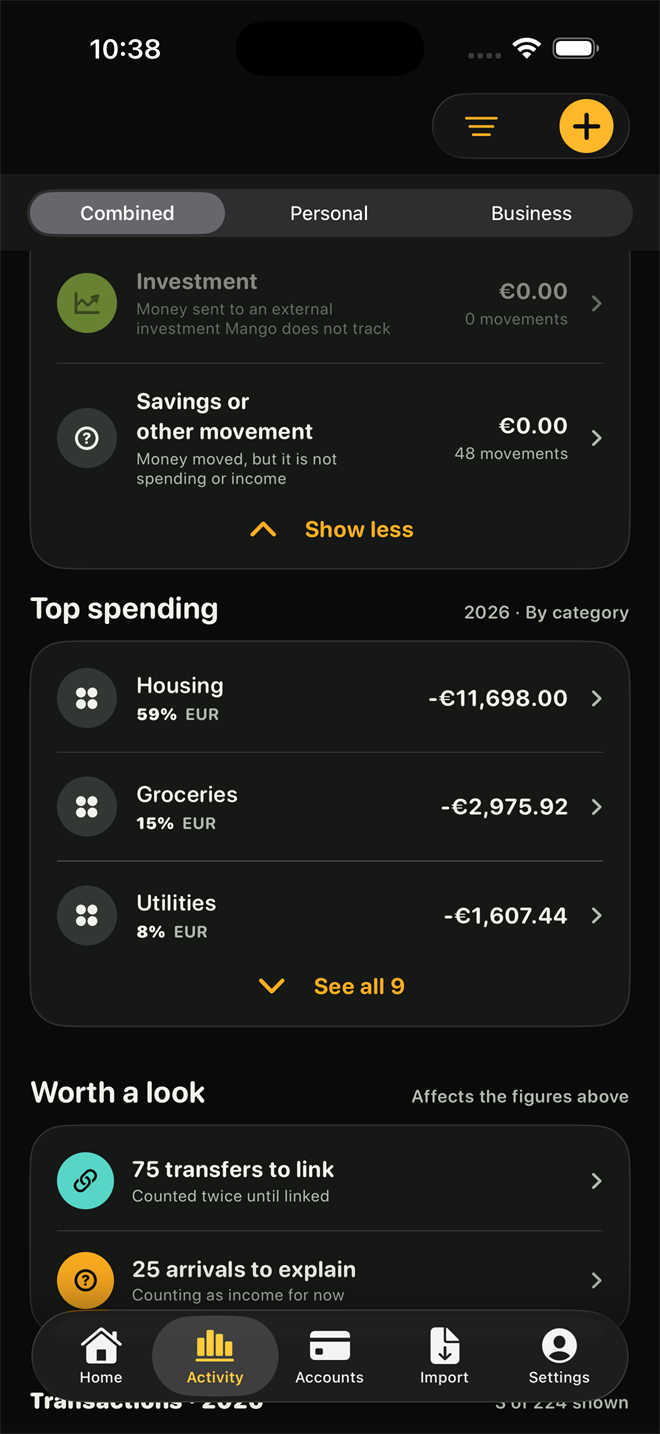
Top spending by category, alongside transfers waiting to be linked and arrivals waiting to be explained.
Anything that would distort the totals is listed as work waiting for you rather than quietly guessed at.
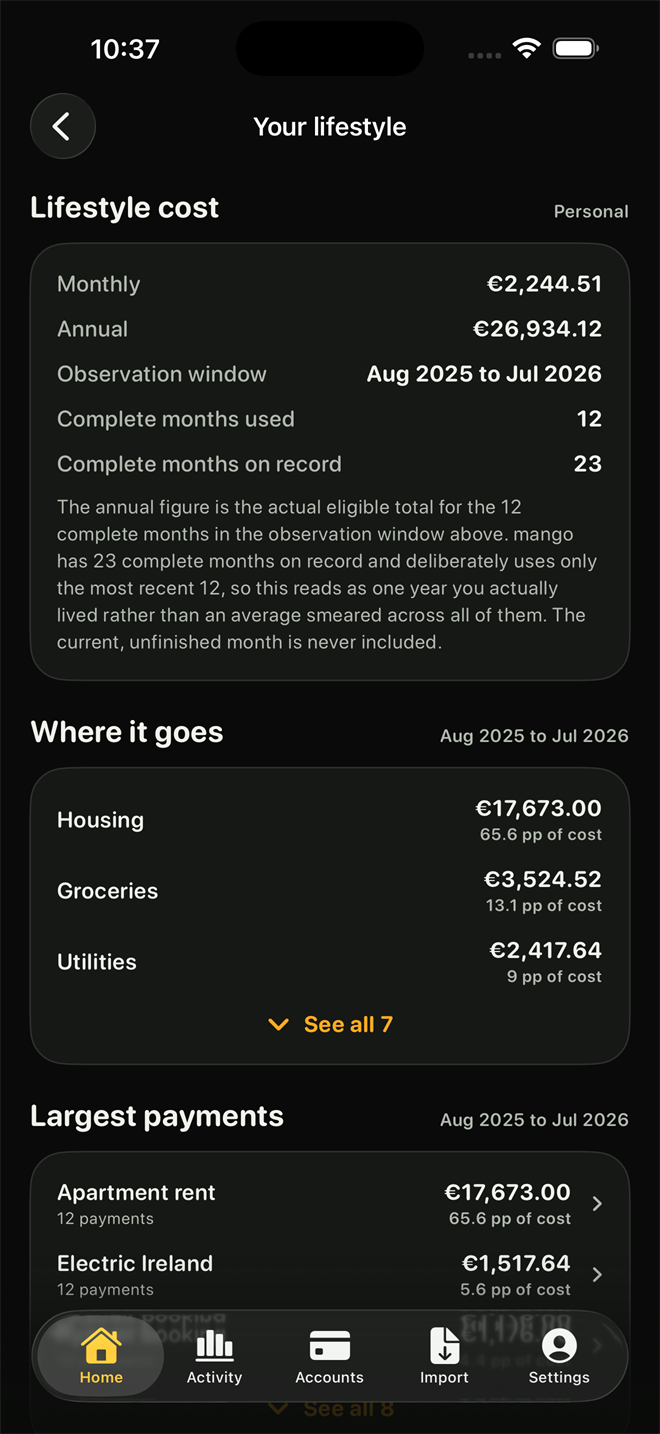
The lifestyle screen showing monthly and annual cost, the observation window used, and where the money goes by category.
What a year actually costs, taken from twelve complete months you lived rather than an average smeared across all of them.
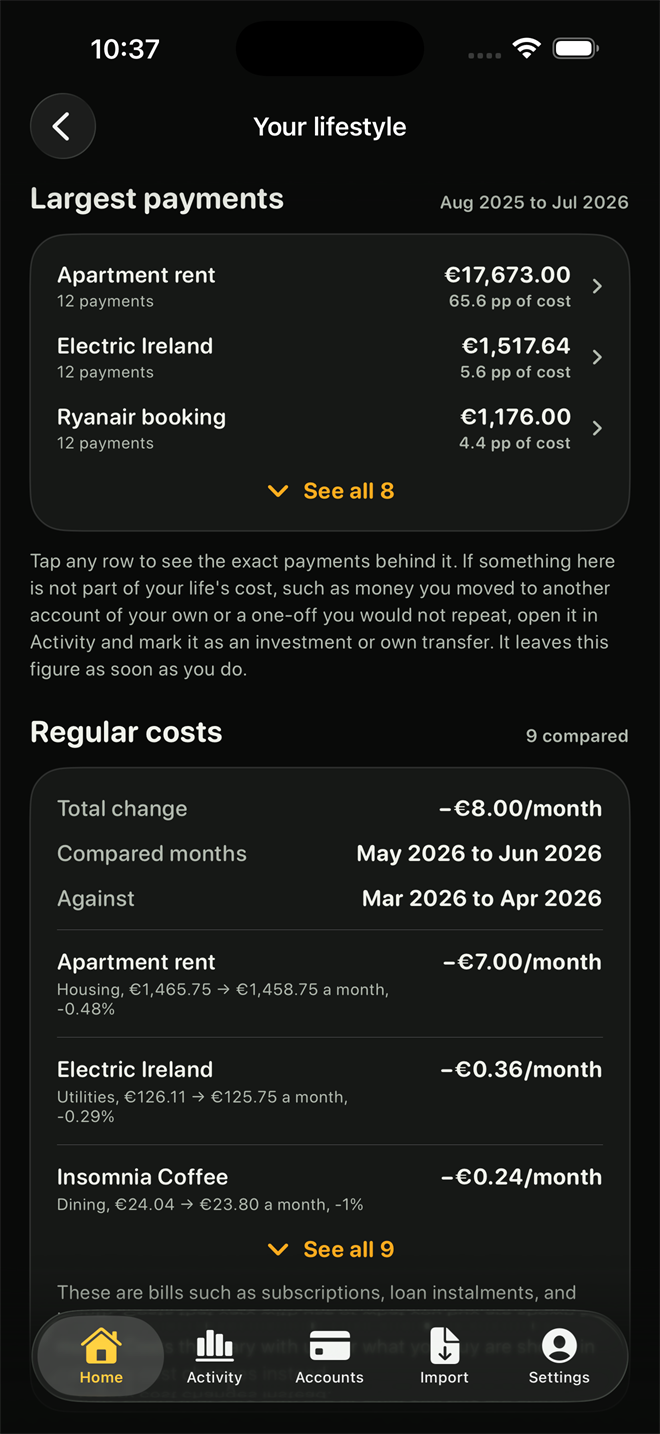
Largest payments and regular costs, comparing recent months against earlier ones to show how each bill changed.
Recurring bills compared period against period, so a quiet price rise turns into a number instead of a feeling.
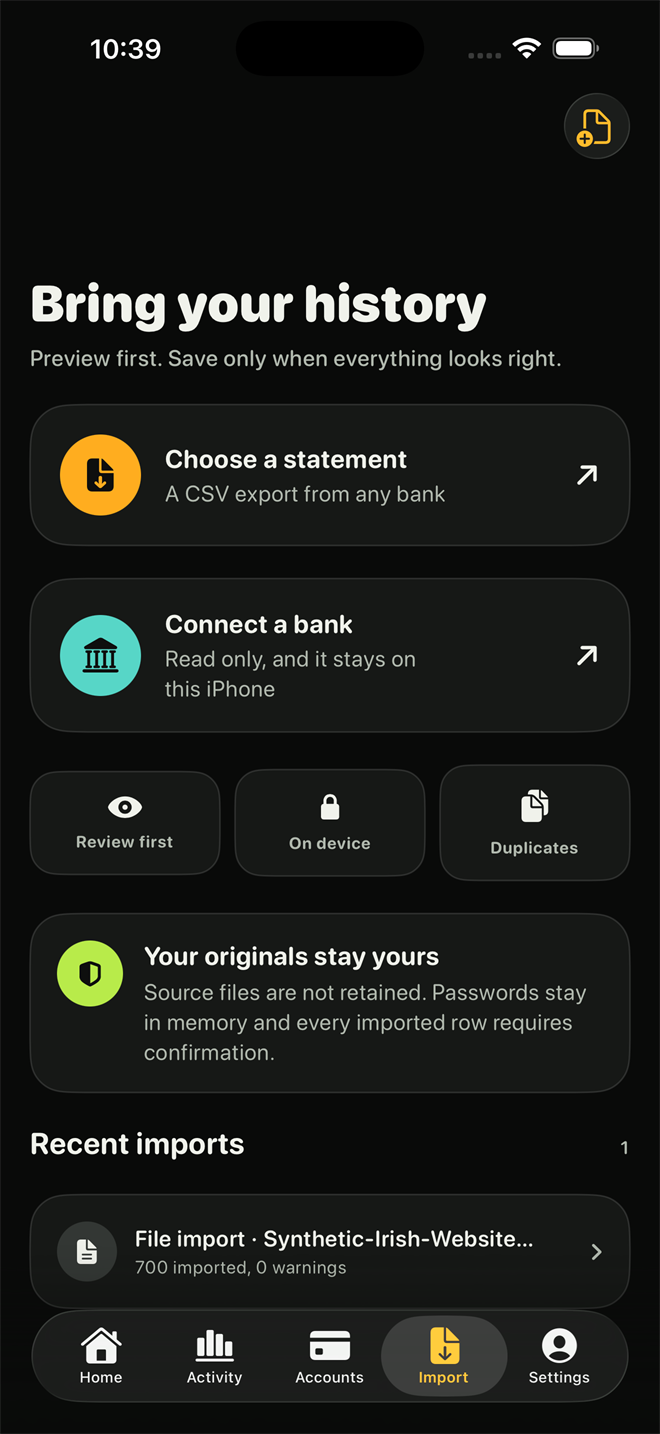
The import screen offering a statement file, with review, on-device and duplicate handling explained.
Statements preview before anything is saved. Source files are not retained, and every row still needs your confirmation.
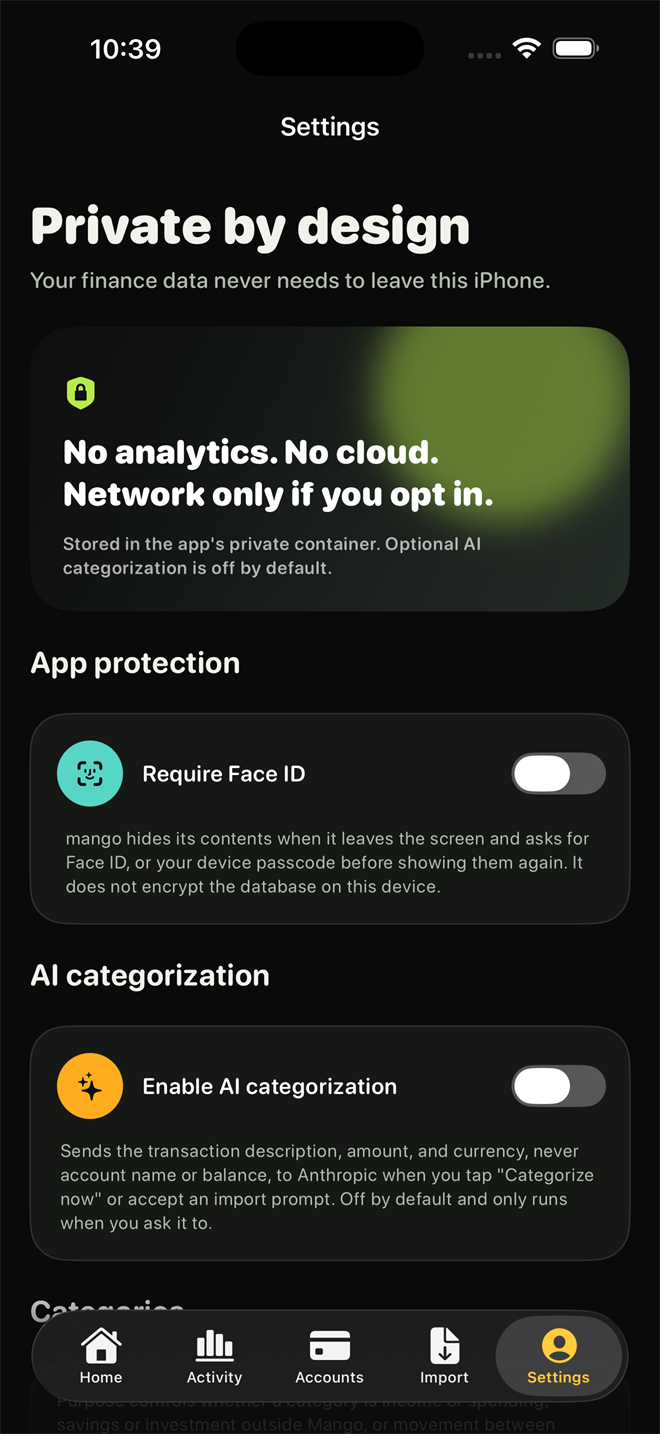
The settings screen headed Private by design, with no analytics or cloud, an app lock, and AI categorisation switched off.
No analytics and no cloud. The network is used only for the things you switch on, and AI categorisation ships off.
The same Mango home screen rendered in light mode.
Light mode, if you prefer it. The same screen, following whatever your iPhone is set to.

Figures are illustrative. This is a development build.

On-device by defaultYour records stay on your iPhone.
Nothing leaves by defaultMango cannot move your money.
Every row reviewedNothing is saved without your say-so.
Built for IrelandEuro-first, with Irish bank exports in mind.

How Mango works

From a bank-confirmed number to a picture you can understand.

Mango does not treat every imported row as a fact. It gives you a starting point, shows how the money moved and leaves the decisions that matter with you.

  1. 01
    Start with a checkpoint

    Use the latest balance your bank or statement confirmed.

  2. 02
    Review the history

    Import a statement, then check each candidate before anything is saved.

  3. 03
    See the movement

    Separate spending, income and transfers so older history becomes useful context.

AvailabilityComing to the App Store
PlatformiPhone only
CoverageIreland and euro first
PricingAnnounced before launch

The detail behind the clarity

How Mango handles money differently.

01

A balance nothing confirmed says so

Arithmetic is never presented as a bank balance. A figure no statement has confirmed is labelled as such, an account confirmed months ago tells you when, and a currency total is only called confirmed when every account behind it is.

02

Moving your own money isn't spending

Revolut Pockets and Vaults, N26 Spaces and similar sub-balances are modelled as pockets inside the account that holds them. Money moving inside one account family never counts as income or as spending, and every past month re-reads itself the moment you say so.

03

Nothing is written without your review

A statement import produces candidates, not records. Duplicates are surfaced rather than silently dropped, every skipped row carries its reason, and nothing reaches your data until you confirm it.

04

Real inflation, not a number we invented

Cost-of-living context is built from your own confirmed transactions on the device, compared against Ireland's published CSO price index. The only thing that ever leaves is a country code and a reference month.

Explore Mango

Tools for seeing your money clearly.

Mango is built around a few careful decisions: show what a bank confirmed, separate transfers from spending, and let you review the work before it becomes your record.

Where your data sits

Offline by default, and specific about the exceptions.

  • There is no account. No sign-up, no password, no server holding your finances. Your records live in the app's private storage on your iPhone.
  • Mango never touches your bank. It reads the statement you export yourself. There is no login to your bank, no password for Mango to see, and nothing in the app can move money.
  • Your bank's own export is enough. Bank of Ireland, Revolut and N26 exports are read directly, and a layout you map once is remembered for every future file.
  • AI categorisation is off until you enable it. When on, it sends a description, an amount and a currency. It never sends your account names, your balances, or your history, and every suggestion still goes through review.
  • Backups are encrypted on the device. You choose where the file goes. We never receive a copy and cannot recover a lost recovery key.

Being straight with you

What Mango is not.

  • It is not a bank. It holds no money, initiates no payment, and is not a substitute for what your bank tells you.
  • It is not financial advice. It organises information and produces estimates. Decisions, and the professionals you consult about them, remain yours.
  • It starts small. Mango is built for Ireland and the euro first. More banks and more countries follow the parsers, not the marketing.